The following VB sample loads two icons using BASE64 encoded strings:
With Edit1
    .BookmarkWidth = 18
    .Images ("gBJJgBggAAwAAgACEKAD/hz/EMNh8TIRNGwAjEZAEXjAojJAjIgjIBAEijUlk8plUrlktl0vmExmUzmk1m03nE5nU7nk9n0/oFBoVDolFo1HpFJpVLplNp1PqFRqVTqlVq1XrFZrVbrldr1fsFhsVjslls1ntFptVrtltt1vuFxuVzul1u13vF5vV7vl9v1/wGBwWDh+Dw1bwuJh0Sf8txeHyFXx+Ryk9wsnxbAzUpycYxWNiWMyujleXjOm0+gjKA1gA1iA0Wf0mz2WY1WwjWywuvz2N1GzyO11ON3mXxe6xfFzvAwXI1UY3mh5292PJ1vMw3T7Hbo3T73L7nhl3f5/i8034Xn9Xr9nt91Cio+lXyjsfkMjAEkk/69Hg97UpSeZ3pSeBnpScAHwO/iMmBBaMQalJAQc10JvylUJkAD8Dh+lJ8Q4k5/D+zjygAgI")
    .Images ("gBJJgBggAAkGAAQhIAf8Nf4hhkOiRCJo2AEXjAAi0XFEYIEYhUXAIAEEZi8hk0plUrlktl0vmExmUzmk1m03nE5nU7lqAnwAYFBnlDolFo1HpFJmkOAE+QFAoVBYFQqdKq1XrFZrU2plMp1UsFfr9Srdls1ntEzrsNiL/ps/sU/sleuVRoVpvF5vVDtduulPudswNuslju1VveJxWLk19ttvwFCpmDsGToVxp+MzWbs2Ov+Vtk/t8XymUx2c1GppOOw1Ty1T0WismmtlM1W33FEz+zw9hzOxzOetm54nFoe8qfIsGF3/B2vDjGi43T6k45XXy/Nnva6vd7007HJ7MX4Hk7nS7/p9Utskz8vr+Hxono+X1+33/HGig+lX8jiPJAjCRpGjLMpwph/D+lJ+A+lJ8AOlJ4QIjJwJUxECpnCaMgGlUOJMYAEwilR+BylJ/j3Ey3JMgIA=")
    .InsertText ("First line")
    .InsertText ("Second line")
    .BookmarkImageLine(1) = 1
    .BookmarkImageLine(2) = 2
End With
If you run the sample you get:

The following sample shows how to replace the entire list of icons, using a Microsoft Image List control ( ImageList1 ):
Edit1.Images ImageList1.hImageList
The following C++ sample loads two icons using BASE64 encoded strings:
m_edit.SetBookmarkWidth( 18 );
m_edit.Images( COleVariant("gBJJgBggAAwAAgACEKAD/hz/EMNh8TIRNGwAjEZAEXjAojJAjIgjIBAEijUlk8plUrlktl0vmExmUzmk1m03nE5nU7nk9n0/oFBoVDolFo1HpFJpVLplNp1PqFRqVTqlVq1XrFZrVbrldr1fsFhsVjslls1ntFptVrtltt1vuFxuVzul1u13vF5vV7vl9v1/wGBwWDh+Dw1bwuJh0Sf8txeHyFXx+Ryk9wsnxbAzUpycYxWNiWMyujleXjOm0+gjKA1gA1iA0Wf0mz2WY1WwjWywuvz2N1GzyO11ON3mXxe6xfFzvAwXI1UY3mh5292PJ1vMw3T7Hbo3T73L7nhl3f5/i8034Xn9Xr9nt91Cio+lXyjsfkMjAEkk/69Hg97UpSeZ3pSeBnpScAHwO/iMmBBaMQalJAQc10JvylUJkAD8Dh+lJ8Q4k5/D+zjygAgI") );
m_edit.Images( COleVariant("gBJJgBggAAkGAAQhIAf8Nf4hhkOiRCJo2AEXjAAi0XFEYIEYhUXAIAEEZi8hk0plUrlktl0vmExmUzmk1m03nE5nU7lqAnwAYFBnlDolFo1HpFJmkOAE+QFAoVBYFQqdKq1XrFZrU2plMp1UsFfr9Srdls1ntEzrsNiL/ps/sU/sleuVRoVpvF5vVDtduulPudswNuslju1VveJxWLk19ttvwFCpmDsGToVxp+MzWbs2Ov+Vtk/t8XymUx2c1GppOOw1Ty1T0WismmtlM1W33FEz+zw9hzOxzOetm54nFoe8qfIsGF3/B2vDjGi43T6k45XXy/Nnva6vd7007HJ7MX4Hk7nS7/p9Utskz8vr+Hxono+X1+33/HGig+lX8jiPJAjCRpGjLMpwph/D+lJ+A+lJ8AOlJ4QIjJwJUxECpnCaMgGlUOJMYAEwilR+BylJ/j3Ey3JMgIA=") );
m_edit.InsertText("First line", vtMissing );
m_edit.InsertText("Second line", vtMissing );
m_edit.SetBookmarkImageLine( 1, 1 );
m_edit.SetBookmarkImageLine( 2, 2 );
The following VB.NET sample loads two icons using BASE64 encoded strings:
With AxEdit1
    .BookmarkWidth = 18
    .Images("gBJJgBggAAwAAgACEKAD/hz/EMNh8TIRNGwAjEZAEXjAojJAjIgjIBAEijUlk8plUrlktl0vmExmUzmk1m03nE5nU7nk9n0/oFBoVDolFo1HpFJpVLplNp1PqFRqVTqlVq1XrFZrVbrldr1fsFhsVjslls1ntFptVrtltt1vuFxuVzul1u13vF5vV7vl9v1/wGBwWDh+Dw1bwuJh0Sf8txeHyFXx+Ryk9wsnxbAzUpycYxWNiWMyujleXjOm0+gjKA1gA1iA0Wf0mz2WY1WwjWywuvz2N1GzyO11ON3mXxe6xfFzvAwXI1UY3mh5292PJ1vMw3T7Hbo3T73L7nhl3f5/i8034Xn9Xr9nt91Cio+lXyjsfkMjAEkk/69Hg97UpSeZ3pSeBnpScAHwO/iMmBBaMQalJAQc10JvylUJkAD8Dh+lJ8Q4k5/D+zjygAgI")
    .Images("gBJJgBggAAkGAAQhIAf8Nf4hhkOiRCJo2AEXjAAi0XFEYIEYhUXAIAEEZi8hk0plUrlktl0vmExmUzmk1m03nE5nU7lqAnwAYFBnlDolFo1HpFJmkOAE+QFAoVBYFQqdKq1XrFZrU2plMp1UsFfr9Srdls1ntEzrsNiL/ps/sU/sleuVRoVpvF5vVDtduulPudswNuslju1VveJxWLk19ttvwFCpmDsGToVxp+MzWbs2Ov+Vtk/t8XymUx2c1GppOOw1Ty1T0WismmtlM1W33FEz+zw9hzOxzOetm54nFoe8qfIsGF3/B2vDjGi43T6k45XXy/Nnva6vd7007HJ7MX4Hk7nS7/p9Utskz8vr+Hxono+X1+33/HGig+lX8jiPJAjCRpGjLMpwph/D+lJ+A+lJ8AOlJ4QIjJwJUxECpnCaMgGlUOJMYAEwilR+BylJ/j3Ey3JMgIA=")
    .InsertText("First line")
    .InsertText("Second line")
    .set_BookmarkImageLine(1, 1)
    .set_BookmarkImageLine(2, 2)
End With
The following C# sample loads two icons using BASE64 encoded strings:
axEdit1.BookmarkWidth = 18;
axEdit1.Images("gBJJgBggAAwAAgACEKAD/hz/EMNh8TIRNGwAjEZAEXjAojJAjIgjIBAEijUlk8plUrlktl0vmExmUzmk1m03nE5nU7nk9n0/oFBoVDolFo1HpFJpVLplNp1PqFRqVTqlVq1XrFZrVbrldr1fsFhsVjslls1ntFptVrtltt1vuFxuVzul1u13vF5vV7vl9v1/wGBwWDh+Dw1bwuJh0Sf8txeHyFXx+Ryk9wsnxbAzUpycYxWNiWMyujleXjOm0+gjKA1gA1iA0Wf0mz2WY1WwjWywuvz2N1GzyO11ON3mXxe6xfFzvAwXI1UY3mh5292PJ1vMw3T7Hbo3T73L7nhl3f5/i8034Xn9Xr9nt91Cio+lXyjsfkMjAEkk/69Hg97UpSeZ3pSeBnpScAHwO/iMmBBaMQalJAQc10JvylUJkAD8Dh+lJ8Q4k5/D+zjygAgI");
axEdit1.Images("gBJJgBggAAkGAAQhIAf8Nf4hhkOiRCJo2AEXjAAi0XFEYIEYhUXAIAEEZi8hk0plUrlktl0vmExmUzmk1m03nE5nU7lqAnwAYFBnlDolFo1HpFJmkOAE+QFAoVBYFQqdKq1XrFZrU2plMp1UsFfr9Srdls1ntEzrsNiL/ps/sU/sleuVRoVpvF5vVDtduulPudswNuslju1VveJxWLk19ttvwFCpmDsGToVxp+MzWbs2Ov+Vtk/t8XymUx2c1GppOOw1Ty1T0WismmtlM1W33FEz+zw9hzOxzOetm54nFoe8qfIsGF3/B2vDjGi43T6k45XXy/Nnva6vd7007HJ7MX4Hk7nS7/p9Utskz8vr+Hxono+X1+33/HGig+lX8jiPJAjCRpGjLMpwph/D+lJ+A+lJ8AOlJ4QIjJwJUxECpnCaMgGlUOJMYAEwilR+BylJ/j3Ey3JMgIA=");
axEdit1.InsertText("First line");
axEdit1.InsertText("Second line");
axEdit1.set_BookmarkImageLine(1, 1);
axEdit1.set_BookmarkImageLine(2, 2);
The following VFP sample loads two icons using BASE64 encoded strings:
With thisform.Edit1.Object
	local s
    .BookmarkWidth = 18
	s = "gBJJgBggAAkGAAQhIAf8Nf4hhkOiRCJo2AEXjAAi0XFEYIEYhUXAIAEEZi8hk0plUrlktl0vmExmUzmk1m03nE5nU7nk9n0/oFBoVDoMOolHpFJpVLpNGp0NiL/ltQplVq1XrFZqlZrldr1co0mqDAskprcXp9SiNRr9tt1vmVhjFyudqjCAvAAvCAtlpuF/wFuv1iu18jN+o17tFSumBx"
	s = s + "2PpWDutSxVhqGIqGVs+QzmdneYu0XxVr0GLvuZvOe1Wrmul1mv2GP0uzzex223n+00O43m9oeS33B4XD4nF43H5FKig+lXMjkekEYkcjjOGnFPlLzd8peDPlLgB/f6kZYHjjHllKA82i9cilXtQAf74/lL4+kmfx/s27AEBA=="
    .Images (s)
	s = "gBJJgBggAAkGAAQhIAf8Nf4hhkOiRCJo2AEXjAAi0XFEYIEYhUXAIAEEZi8hk0plUrlktl0vmExmUzmk1m03nE5nU7lqAnwAYFBnlDolFo1HpFJmkOAE+QFAoVBYFQqdKq1XrFZrU2plMp1UsFfr9Srdls1ntEzrsNiL/ps/sU/sleuVRoVpvF5vVDtduulPudswNuslju1VveJxWLk19t"
	s = s + "tvwFCpmDsGToVxp+MzWbs2Ov+Vtk/t8XymUx2c1GppOOw1Ty1T0WismmtlM1W33FEz+zw9hzOxzOetm54nFoe8qfIsGF3/B2vDjGi43T6k45XXy/Nnva6vd7007HJ7MX4Hk7nS7/p9Utskz8vr+Hxono+X1+33/HGig+lX8jiPJAjCRpGjLMpwph/D+lJ+A+lJ8AOlJ4QIjJwJUxECpnCa"
	s = s + "MgGlUOJMYAEwilR+BylJ/j3Ey3JMgIA="
    .Images (s)
    .InsertText ("First line")
    .InsertText ("Second line")
    .BookmarkImageLine(1) = 1
    .BookmarkImageLine(2) = 2
EndWith
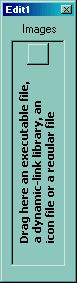
The following screen shot shows the control's images panel, where user can drag icon files in order to add new icons to the control at design mode: