|
If you have a question please take a look on the help files, samples, or FAQ lists. If you are unable to find an answer for your question please feel free to contact us. If you enjoyed any of the following products please share your opinions with us. . |
exSuite
|
||
buy COM/NET
|
Exontrol now offers a powerful suite of controls for building applications. The Exontrol's suite provides you with a series of powerful and easy-to-use combo-list-tree-grid controls, gantt or chart controls to display your data, and much more. Features such as WYSWYG Template Layout designers, Incremental searching, Built-in HTML support, ActiveX hosting, Print and Print Preview, Drag and drop, and much more to improve the performance and flexibility of the components, and so your application. Currently, the Exontrol's eXSuite package contains more than 3,000,000 lines of source code, and it is kind unique on the components market place. | |
exButton
|
||
features
|
Exontrol's exButton component is our answer to your GUI needs. The control provides predefined button skins for Windows XP, Windows 95/98, and Mac 8.x buttons. Create your own skins for your buttons in minutes, using a WYSYWG skin builder. | |
help
|
||
buy COM/NET
|
||
exCalc
|
||
features
|
Exontrol's ExCalc component provides calculator features to your application. The exCalc component provides implementation for arithmetic operations like addition, subtraction, division and multiplication. | |
help
|
||
quick buy
|
||
exCalcEdit
|
||
features
|
Enrich your application with an easy-to-use edit control that supports arithmetic operations. Get results on the fly. The result is displayed as the user types the expression. | |
help
|
||
quick buy
|
||
exCalendar
|
||
features
|
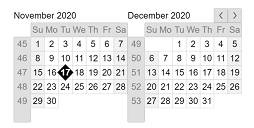
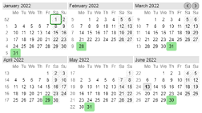
The ExCalendar Library contains two ActiveX controls, simple version and drop-down version that allow you to select a date with a nice GUI. You can select the date between 1/1/100 and 12/31/9999, Both versions support images, colors, font attributes, tooltips for any date | |
help
|
||
vb/7,c/#,vfp/9
|
||
buy COM/NET
|
||
exChange
|
||
features
|
Perform currency conversions. The ExChange library contains two COM objects, ExChange and ExChart. The ExChange is a COM object for performing conversions between a currency and hundreds of other international currencies. The ExChart component display the exchange rates between two international currencies into a given interval. As with any currency converter, it's vitally important that you have the latest exchange rates. That's why ExChange gets the rates from Internet. | |
help
|
||
quick buy
|
||
exComboBox
|
||
features
|
A Built from the ground up using 100% ATL-based code, the ExComboBox represents some of the most advanced combobox technology available in the components marketplace. The ExComboBox has more things that you can imagine. Cut down your development time and add value to your application with this intelligent, easy to use search control. | |
help
|
||
vb/7,c/#,vfp/9
|
||
buy COM/NET
|
||
exDialog
|
||
features
|
The ExDialog ActiveX control, similar with the Microsoft Office Assistant, is a new type of control that allows attaching pictures to your form or dialog. The control lets you add interactive personalities to your application or Web site. The control can be anchored to the container edges. The control enables software developers and Web authors to incorporate a new object of user interaction. The control allows attaching callouts, arrows, personalities, captions, etc to your form or dialog. | |
help
|
||
quick buy
|
||
exDICTClient
|
||
features
|
The ExDictClient ActiveX control is a TCP transaction based query/response protocol that allows a client to access dictionary definitions from a set of natural language dictionary databases. The ExDictClient ActiveX control uses the Dictionary Protocol, described in RFC 2229. | |
help
|
||
quick buy
|
||
exEdit
|
||
features
|
Add to your applicaton an easy-to-use edit control that supports built-in HTML format, and syntax highlighting as well. You can define your own keywords and expressions using HTML tags. The control is fully written in C++ using ATL. The control doesn't required addition files or libraries like MFC or else. | |
help
|
||
vb/7,c/#,vfp/9
|
||
buy COM/NET
|
||
exEditors
|
||
features
|
The ExEditors Library, a 100% ATL based component suite, contains 16 data edit controls in a single ActiveX control. Each editor can have a three-state check box associated and an unlimited number of buttons on the left or right side. Each button can display an icon or a picture and can have its own tool tip. Most of the editors are mask based. | |
help
|
||
buy COM/NET
|
||
exEMail
|
||
features
|
A built from the ground up using 100% ATL-based code, The ExEMail can be dropped into any language that supports ActiveX thus enabling an application to support full mail and file attachment transfers. ExEMail is fully SMTP RFC-compliant and provides support for binary (MIME) attachments and HTML email. SMTP authenfication supported. You don't need to have installed Oultook, Express, Exchange or whatever. | |
help
|
||
quick buy
|
||
exFileView
|
||
features
|
Provide rich display of file and folder information from within your applications. ExFileView is an ActiveX component for creating Windows Explorer-style functionality. The ExFileView simulates a FolderView control as well. | |
help
|
||
vb/7,c/#,vfp/9
|
||
buy COM/NET
|
||
exShellView
|
||
features
|
Exontrol's new ExShellView component provides a file list view which is identical with the right pane of your Windows Explorer.. | |
help
|
||
vb/7,c/#,vfp/9
|
||
buy COM/NET
|
||
exFolderView
|
||
features
|
Exontrol's new eXFolderView component provides a folder list view which is identical to the left side of your Windows Explorer. | |
help
|
||
vb/7,c/#,vfp/9
|
||
buy COM/NET
|
||
exGantt
|
||
features
|
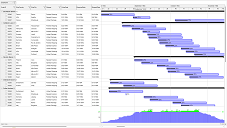
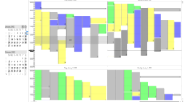
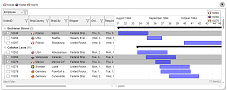
The Exontrol's ExGantt component is our approach to create timeline charts (also known as Gantt charts). Gantt chart is a time-phased graphic display of activity durations. | |
help
|
||
vb/7,c/#,vfp/9
|
||
buy COM/NET
|
||
exG2antt
|
||
features
|
The Exontrol's ExG2antt component combines Tree-Grid and Gantt functionality in a standalone library. | |
help
|
||
vb/7,c/#,vfp/9
|
||
buy COM/NET
|
||
exGrid
|
||
features
|
Exontrol's new exGrid control an easy-to-implement grid control, provides swift and robust performance and a wide range of formatting features that distinguish it from other grids. The ExGrid is a multi-purpose data visualization system that can display information as a tree, a grid or list, or a combination of both - in either data-bound or unbound mode. This unique synergy between a traditional grid and a traditional treeview allows you to create cutting-edge and visually appealing application interfaces for your end-users. | |
help
|
||
vb/7,c/#,vfp/9
|
||
buy COM/NET
|
||
eXMLGrid
|
||
features
|
Exontrol’s new eXMLGrid control provides an innovative grid view look and handles data in XML fashion way. It provides swift and robust performance and a wide range of formatting features never seen on other grids. | |
help
|
||
quick buy
|
||
exLabel
|
||
features
|
The Exontrol's eXLabel component provides HTML labels for your forms or dialogs. A label control displays static text on a forms and allows you to manipulate it programmatically. The eXLabel control easily replaces the Standard Windows label by supporting most of the same properties, methods and events. In addition, you have complete control over how the label is to be displayed. | |
help
|
||
buy COM/NET
|
||
exList
|
||
features
|
Add an advanced List control to your application. The exList control is 32-bit light component, that displays and edit your tabular data. Incremental searching ('starts with' and 'contains') support. | |
help
|
||
vb/7,c/#,vfp/9
|
||
buy COM/NET
|
||
exListBar
|
||
features
|
The Exontrol's ExListBar ActiveX control, an accurate reproduction of the Microsoft Outlook Bar, provides an intuitive user-interface when large amounts of information need to be presented. The ExListBar supports horizontal or vertical orientation. The object model is rich and intuitive. | |
help
|
||
vb/7,c/#,vfp/9
|
||
buy COM/NET
|
||
exLookupNS
|
||
features
|
The ExLookupNS COM object is a DNS (Domain Name Service) component that can be used for network diagnosing, troubleshooting, and monitoring. The ExLookpNS allows developers to integrate the DNS protocol message sending capability into their applications. The ExLookupNS's object model is rich, flexible and very intuitive. For instance, the statement .Query("devx.com").MailExchange gives you the list of mail servers. It is fully compliant with RFC 1034, RFC 1035, RFC 1876. | |
help
|
||
quick buy
|
||
exInbox
|
||
features
|
The ExInbox ia simple-to-use POP3 client library that allows mail readers to connect to many POP servers and manage email. It implements the client side of RFC 1939. The ExInbox is a free implementation of POP3 protocol for Win32 platforms ( the retail version is free ). The email client can download the entire email message or only message's header. Non-blocking mode supported. | |
help
|
||
quick buy
|
||
exMaskEdit
|
||
features
|
The ExMaskEdit ActiveX control handles the format of text entered by the user. What does ExMaskEdit provide, and other mask edit control doesn't? The ExMaskEdit control provides a nice and useful feature, that we called multimask ( haven't seen it before ) , that means that the control is able to handle more than a mask at runtime. Sometime, your mask doesn't fit all the requirements, or the masking rules are limited, so you are unable to use a standard mask edit control. That's the reason why we decided to get released the ExMaskEdit ActiveX control. The ExMaskEdit control can subclass a standard edit control or a rich control edit. | |
help
|
||
quick buy
|
||
exMenu
|
||
features
|
The ExMenu component is a complete new type of control that displays and handles more than a menu for your application. The ExMenu simulates menu bar, popup menu, options button, toolbar, pick list, and more. Make you application more intuitive using the ExMenu. | |
help
|
||
vb/7,c/#,vfp/9
|
||
quick buy
|
||
exNNTP
|
||
features
|
The ExNNTP control is 32-bit light COM that provides easy and flexible way to handle news (NNTP) messages. The Net News Transfer Protocol(NNTP) is a TCP/IP protocol based upon text strings sent bidirectionally over 7 bit ASCII TCP channels. It is used to transfer articles between servers as well as to read and post articles. XOver (overview database ) header are supported. And ExNNTP's Groups and NewsGroups objects which contain Articles objects, which in turn contain Articles, make managing groups and articles very easy. The entire list of articles for any group can easily be downloaded, and left untouched in that Group as other groups are accessed. Once that a message has been sent by the server, the ExNNTP control caches the message for future accessing. | |
help
|
||
quick buy
|
||
exOrgChart
|
||
features
|
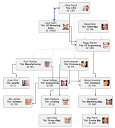
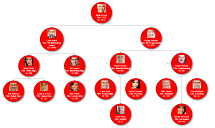
The ExOrgChart component permits the totally automatic generation of organigrams. An organigram generally provides a clear picture of the hierarchical position of the various actors. The ExOrgChart control shows a hierarchical display of nodes, each one having an HTML caption, pictures and icons aligned to any side of the node. | |
help
|
||
vb/7,c/#,vfp/9
|
||
buy COM/NET
|
||
explorerBar
|
||
features
|
The Exontrol's ExplorerBar ActiveX control, an accurate reproduction of the Microsoft Windows XP Explorer Bar, provides an intuitive user-interface when large amounts of information need to be presented.The object model is rich and intuitive. | |
help
|
||
vb/7,c/#,vfp/9
|
||
buy COM/NET
|
||
explorerTree
|
||
features
|
Add structured navigation functionality to your applications. The ExplorerTree component adds navigation functionality to your applications, it brings simple information structuring and easy application navigation. It contains a WYSWYG designer, which is available in all environments such as .NET, VB, VB, VFP or else. It simplifies the organization of information in your applications. Hierarchical structure of Groups and Items allows perfect structuring of information. Create Outlook style bar and tree navigation interfaces. | |
help
|
||
buy COM/NET
|
||
exPopupMenu
|
||
features
|
The ExPopupMenu ActiveX control allows you to display and handle a shortcut menu (window popup menu) or a window's menu bar. The ExPopupMenu control contains also a MenuButton object that allows attaching a popup menu to a push button. Building the menu is more than intuitive because the control provides a WYSIWYG editor, at design time. | |
help
|
||
quick buy
|
||
exPrint
|
||
features
|
The Exontrol ExPrint component is an advanced printing system specifically to bring your User Interface to the printed page. The ExPrint adds powerful print and preview capabilities to your forms, dialog boxes or other windows. The ExPrint component provides Print and Print Preview features for components like: exGrid, exTree, exList, exCalendar, exComboBox, exPropertiesList, exEdit, exFileView, exOrgChart and so on. The exPrint retail version is included in any of these components. And that means that if you own any of these components you have the exPrint included, without paying us any extra fee. | |
help
|
||
buy COM/NET
|
||
exPropertiesList
|
||
features
|
The ExPropertiesList control (similar to the control used to manipulate properties in Visual Studio) provides an efficient, intuitive and visually compact way to handle data input with minimal coding and user interface design. A built from the ground up using 100% ATL-based code, the ExPropertiesList represents some of the most advanced properties list technology available in the components marketplace. | |
help
|
||
vb/7,c/#,vfp/9
|
||
quick buy
|
||
exRecord
|
||
features
|
The Exontrol's exRecord is a container component that can host multiple type of data editors in the same page. The exRecord significantly reduces development time of data components. | |
help
|
||
quick buy
|
||
exResizer
|
||
features
|
The ExResizer allows you to resize controls in a form proportionally or maintain the components' anchored sizes and positions. ExReSize alters the sizes and positions of controls on Visual Basic forms as they are sized, without requiring you to write any code! Simply drop the control onto the form, and you instantly have the ability to resize any control proportionally, by selecting the Anchor property. The way how a control can be anchored to one of more container edges is more than intuitive. | |
help
|
||
quick buy
|
||
exRolList
|
||
features
|
Exontrol's new and innovative exRolList control handles and displays lists on an elliptic shape. The exRolList rotates the list to let items being visible, and so no scrolls are required. You never seen such of control so please take your time and check it. Your user interface will be rich, new and attractive. | |
help
|
||
quick buy
|
||
exScrollBar
|
||
features
|
The Exontrol's newly exScrollBar control simulates vertical or horizontal scroll bar, slider, track, volume or gauge controls. | |
help
|
||
vb/7,c/#,vfp/9
|
||
buy COM/NET
|
||
exSlider
|
||
features
|
The Exontrol's eXSlider component allows you adding skinable sliders to your forms or dialogs. A "slider control" (also known as a trackbar) is a window containing a slider and optional tick marks. When the user moves the slider, using either the mouse or the direction keys, the control sends events to indicate the change. The volume controls in the Windows operating system are slider controls. | |
help
|
||
vb/7,c/#,vfp/9
|
||
buy COM/NET
|
||
exSkin
|
||
features
|
Exontrol's ExSkin is an ActiveX control that enables you to change the visual appearance of your project's forms, providing you with the skin (or look&feel) support. The control provides a WYSWYG Skin Builder that helps you to create new skins. | |
help
|
||
quick buy
|
||
exSkinBox
|
||
features
|
Exontrol's new ExSkinBox offers you skinable message and input boxes with HTML captions and custom images. | |
help
|
||
buy COM/NET
|
||
exStatusBar
|
||
features
|
The Exontrol's ExStatusBar component provides statusbar panels to your forms. The statusbar is a component (widget) often found at the bottom of windows in a graphical user interface. It is very frequently divided into sections, each of which shows different information. Its job is primarily to display information about the current state of its window, although some status bars have extra functionality. Usually, the status bar often called a status line in this context displays the current state of the application, and helpful keyboard shortcuts. | |
help
|
||
quick buy
|
||
exTab
|
||
features
|
The Exontrol ExTab component is a SKIN based TAB control. A tab control is analogous to the dividers in a notebook or the labels in a file cabinet. By using a tab control, an application can define multiple pages for the same area of a form or dialog box. Each page consists of a certain type of information or a group of controls that the application displays when the user selects the corresponding tab. The Exontrol ExTab library includes two components: TabBuilder and Tab components. The TabBuilder component helps to edit, create skin files using a WYSWYG editor. The Tab control can use any skin file created by the TabBuilder component. | |
help
|
||
quick buy
|
||
exThumbnail
|
||
features
|
The eXThumbnail provides thumbnail views for your files. Thumbnails are reduced-size versions of pictures or shell items, used to make it easier to scan and recognize them, serving the same role for images as a normal text index does for words. | |
help
|
||
buy COM/NET
|
||
exToolTip
|
||
features
|
The Exontrol's ExToolTip provides featured tooltips for your application. The tooltip is a common graphical user interface element. It is used in conjunction with a cursor, usually a mouse pointer. The user hovers the cursor over an item, without clicking it, and a small box appears with supplementary information regarding the item being hovered over. | |
help
|
||
quick buy
|
||
exTexture
|
||
features
|
A built from the ground up using 100% C++/ATL-based code, the Exontrol's eXTexture component does cube map texturing. Cube map texturing is a form of environment texture mapping that uses a viewing direction (3D vector) to map into a view plane with six 2D textures arranged like the faces of a cube. | |
help
|
||
quick buy
|
||
exTree
|
||
features
|
Add an enhanced exTree component to your application. exTree provides the entire range of capabilities you would expect to see in a state-of-the-art tree component. The exTree control simulates a simple tree, a multi-column tree, a list or a listview control. | |
help
|
||
vb/7,c/#,vfp/9
|
||
buy COM/NET
|
||
All of our controls are royalty-free and run-time license-fee free. This means that when you purchase our products (one copy per developer on your project), you may distribute the component you purchased with your applications without paying any run-time fees to us. We offer discounts on purchases of 3- and 10-developer packages.
Last Updated: Friday, November 27, 2009
Copyright 1999-2009 by Exontrol